Welcome to Challenge 5 of WSU’s Research Impact Challenge!
In previous challenge activities, you registered your ORCiD, claimed your Google Scholar Profile, explored a digital repository, and reflected on your use of social media. In this challenge activity, we’ll pull all of these pieces together on your personal web page.
Let’s get started!
Here’s how to do it:
- Identify the web page you will use for today’s challenge. You can work with any public profile web page that contains information about you and your work (e.g., Google Scholar, LinkedIn) and that you are able to edit directly. We recommend the following:
- First choice: If you have a Washington State University departmental or staff profile page, and have the power to edit this page yourself, it is the ideal choice for this exercise.
- Second choice: Use the ORCiD profile you created on Day 1, or any public profile on a platform like Humanities Commons, Open Science Framework, or other social networking platform.
- Third choice: Use your own independent website or blog, if you have one.
- Your goal is to ensure that all the work you’ve done this week to establish and manage your presence on the web is fully integrated into your web page. Check your website for each of the following:
- Your ORCiD and link to your ORCiD profile. You can find your ORCiD link for sharing under your account settings.
- Link to your Google Scholar profile.
- Link(s) to any repositories where you have deposited your work (see Bonus Challenge, below).
- Links to any social media profiles or feeds that you want your colleagues to know about, follow, or connect with.
- Make sure that the URL for your personal web page is included.
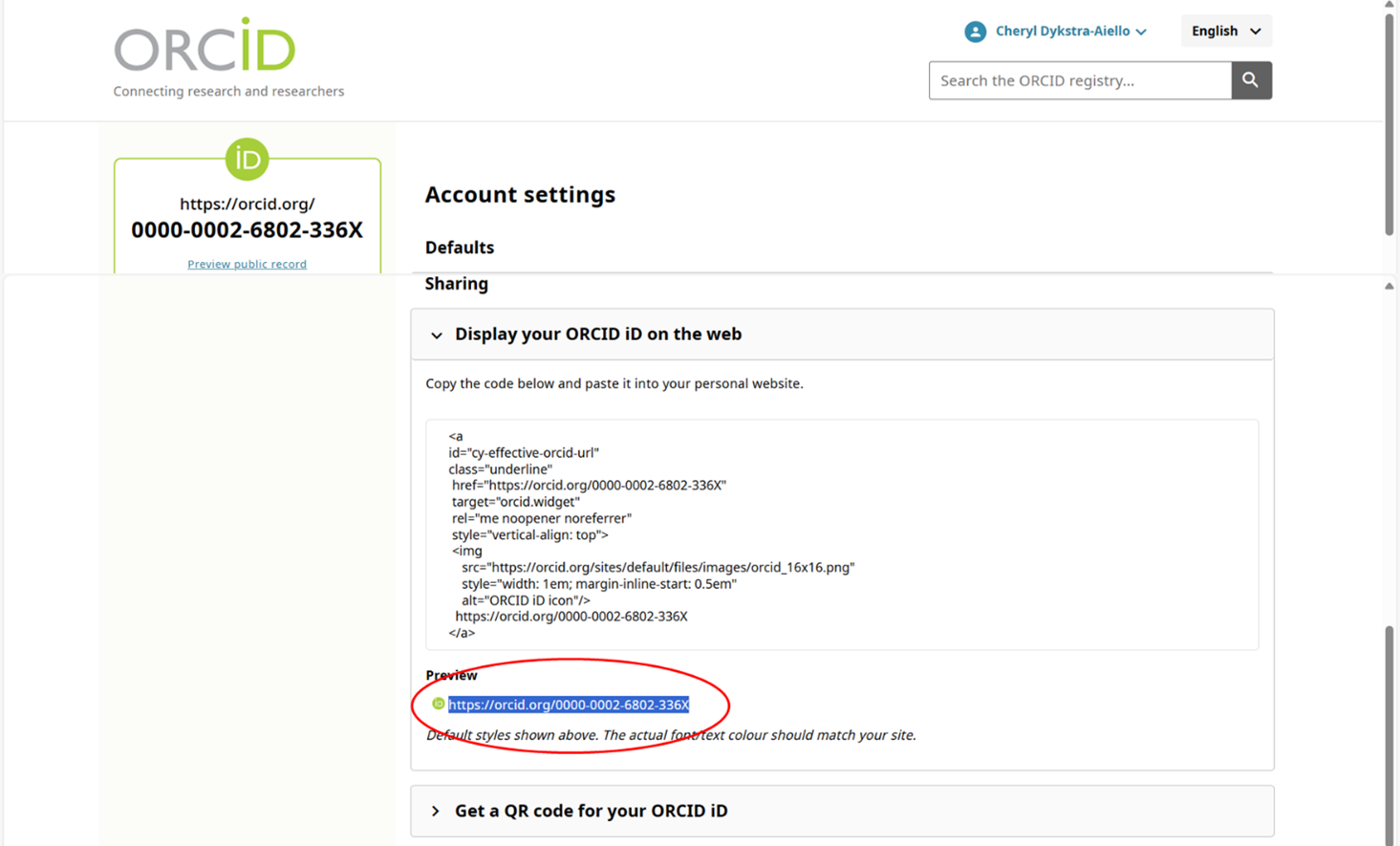
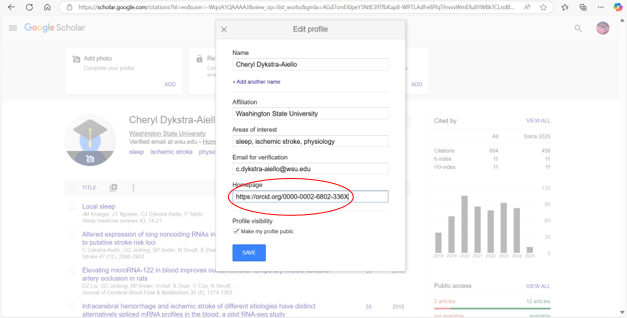
NOTE: If you don’t have a personal webpage already linked on your Google Scholar profile, you can link your LinkedIn or ORCiD profile as if it is your homepage. This is what I did by copying and pasting my ORCiD URL (see above) as my Homepage URL in my Google Scholar profile:
Bonus Challenge
If you currently have documents posted to your personal webpage, consider depositing those files in WSU’s Research Exchange instead. Then, link to those items in the repository, rather than hosting them directly on your web page.
What next?
- Consider the pros and cons of maintaining your own personal website by reading Watters, Audrey. “Why ‘A Domain of One’s Own’ Matters (For the Future of Knowledge).” April 4, 2017.
- Learn about WSU’s policy on individual web pages
- If you decide it makes sense to have a website of your own, check out WSU’s Web Communication for procedures, communications and other information.
- Investigate what additional support and services may be available to faculty and staff through your college or department. For instance, Tri-Cities and the College of Arts and Sciences both provide information.
Learn more:
- Find workshops and classes to learn how to develop your own personal webpage.
- Can’t find any classes? Check out this guide: Creating and Hosting a Personal Site on GitHub.
Preparing for the next challenge
Congratulations! You’ve completed half of the activities in WSU’s Research Impact Challenge!
Starting with Challenge 6, we’ll shift gears to focus on how the impact of scholarly work is measured, communicated, and evaluated.